
Anonymous one-to-one chat
NO FACE.
NO PRESSURE.
JUST VIBE.
Meet someone new. Find your rhythm. Keep talking if you both feel it.
Download links aren’t available yet.
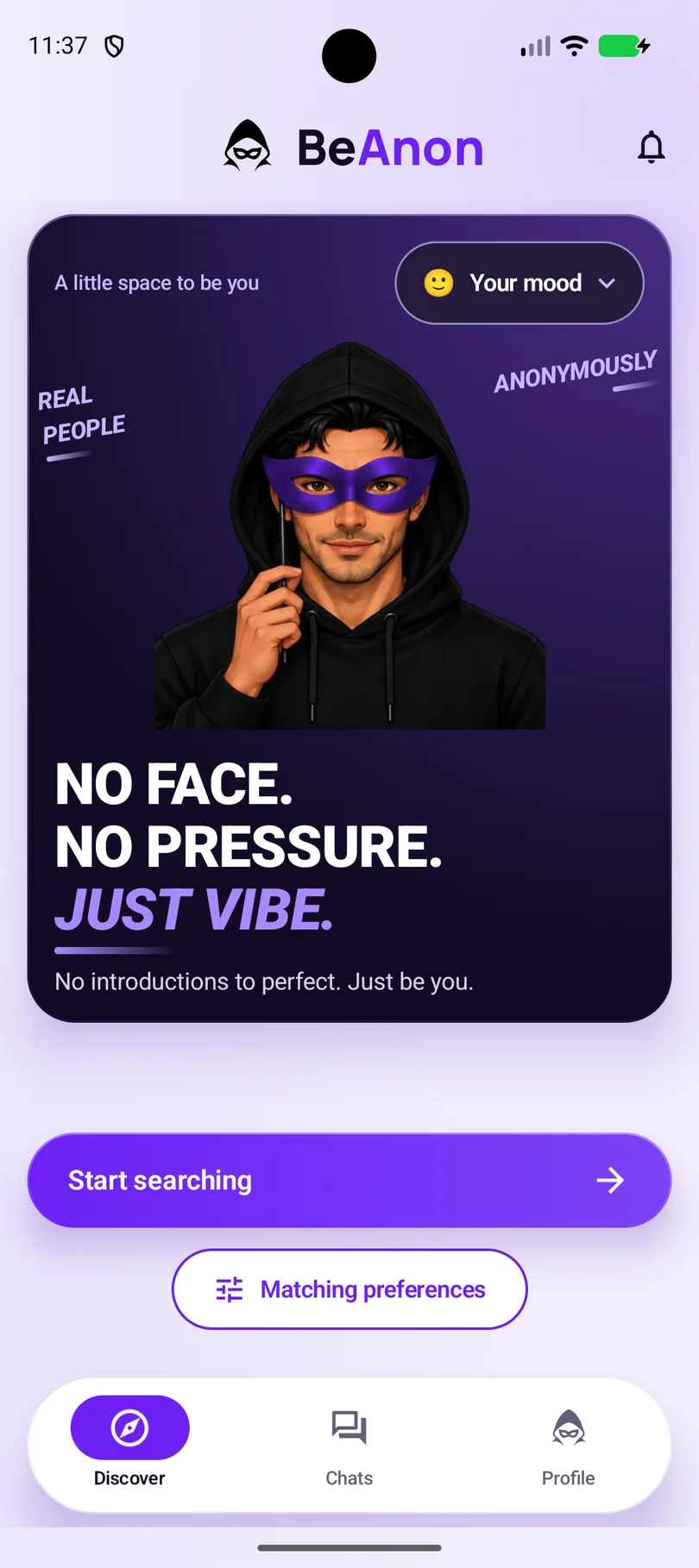
Tap Start searching
Discover is the home screen. Set your preferences and BeAnon looks for someone to talk with one-to-one.
Kabir’s phone
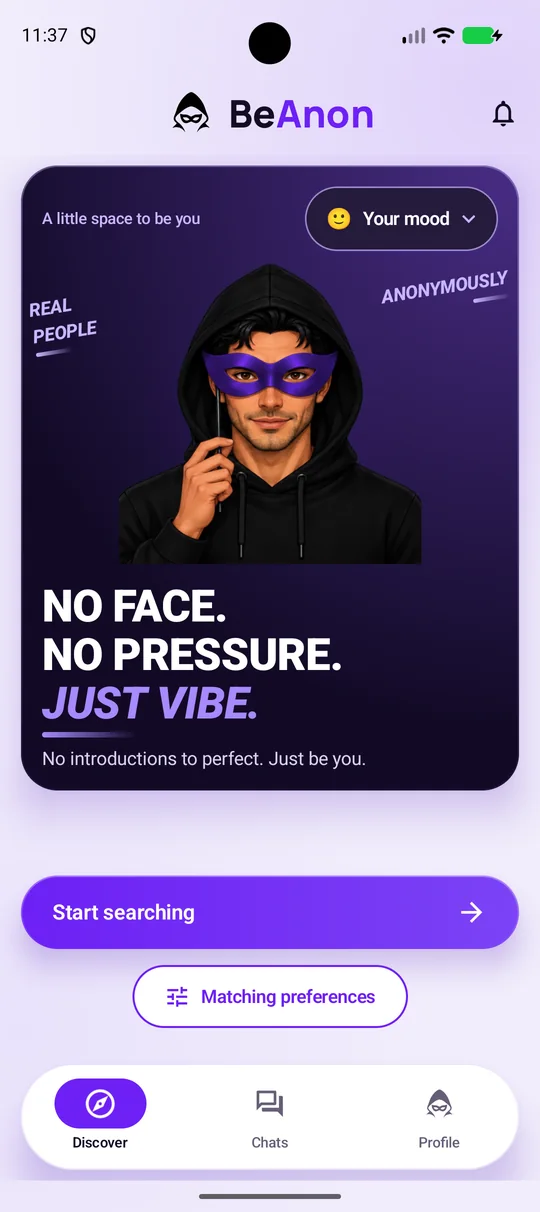
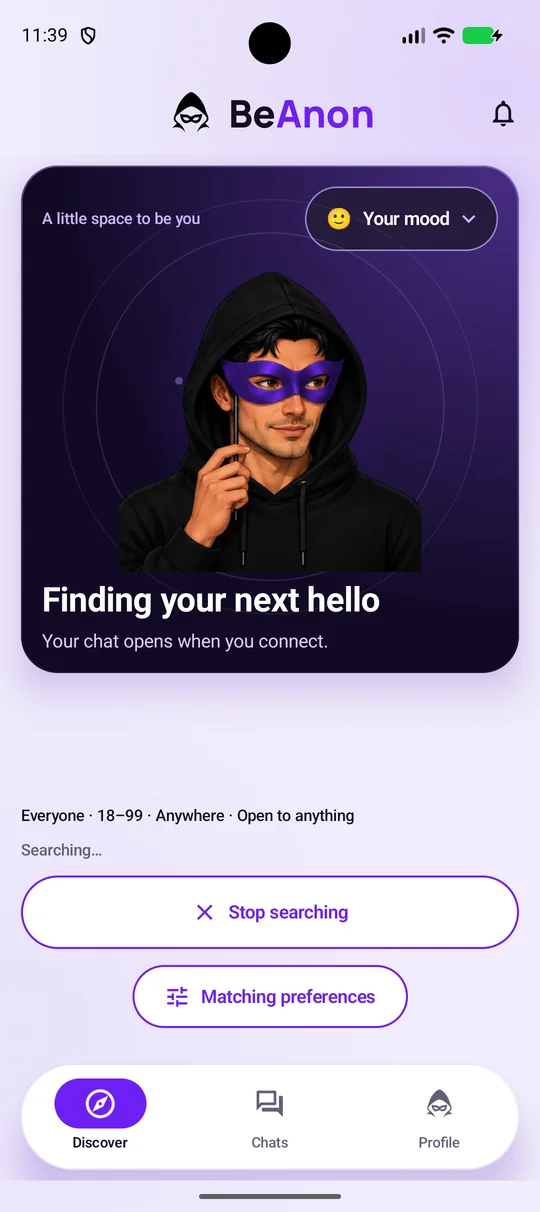
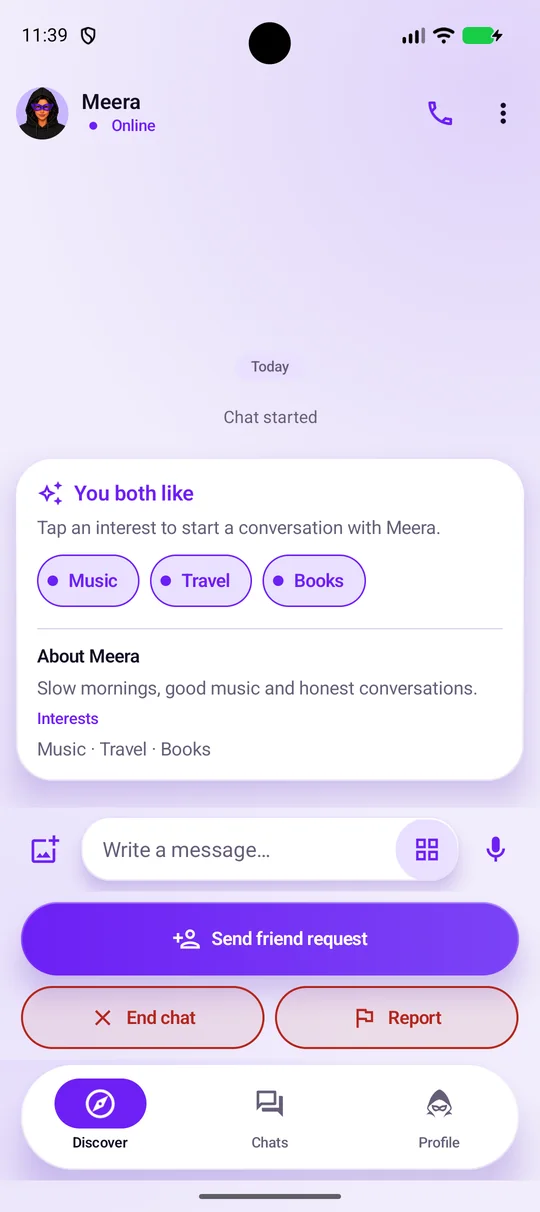
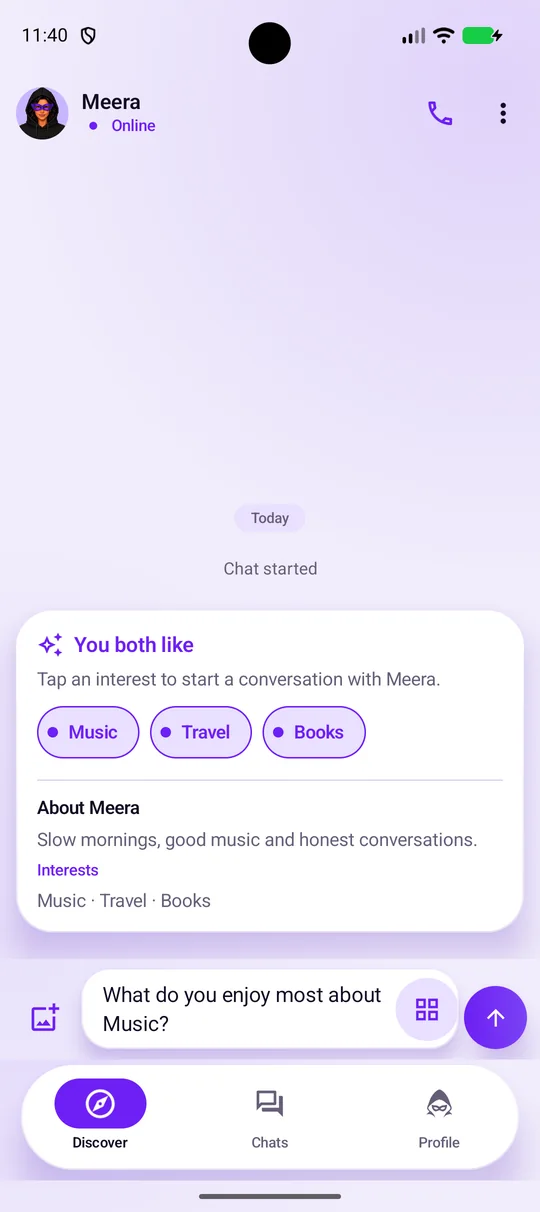
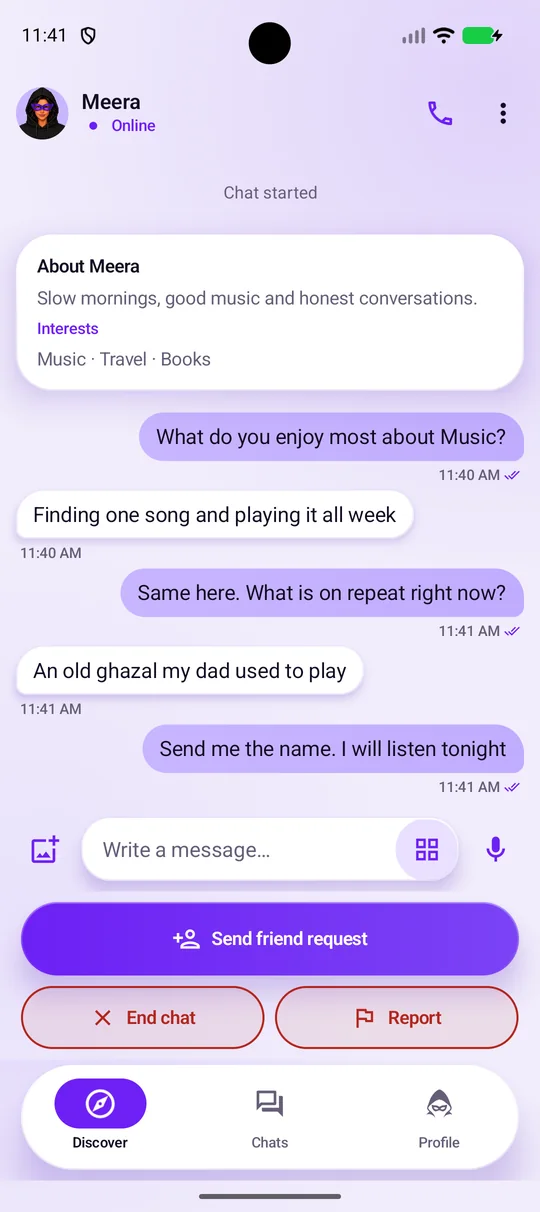
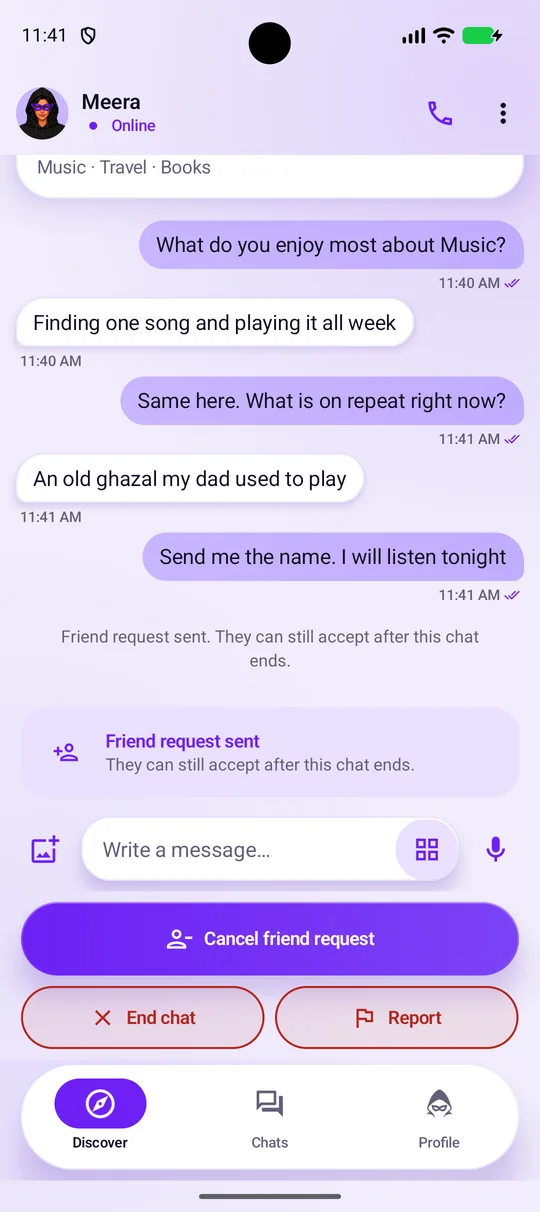
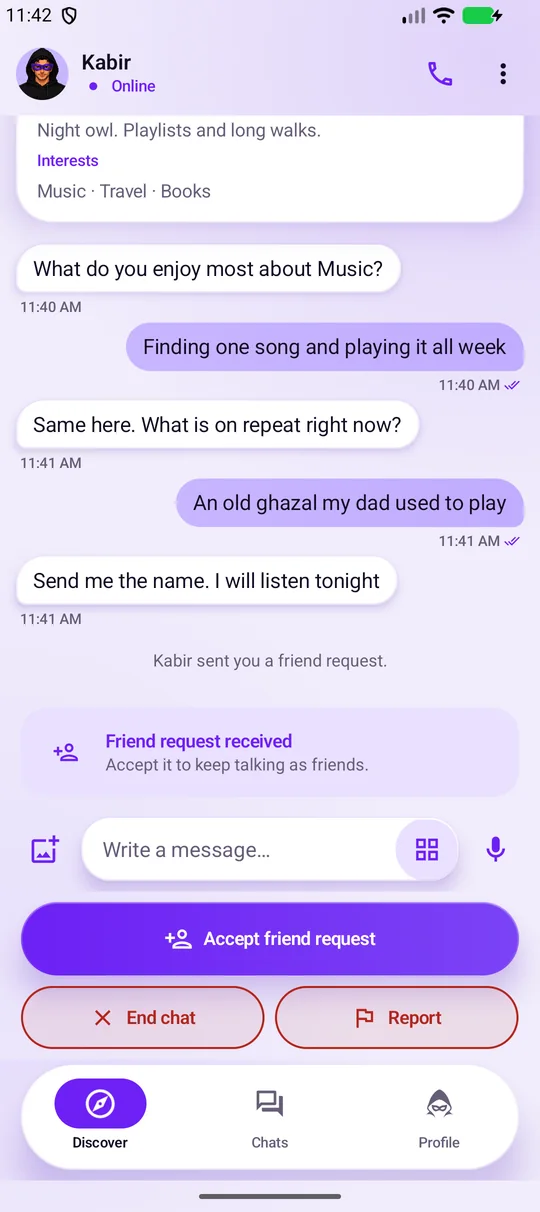
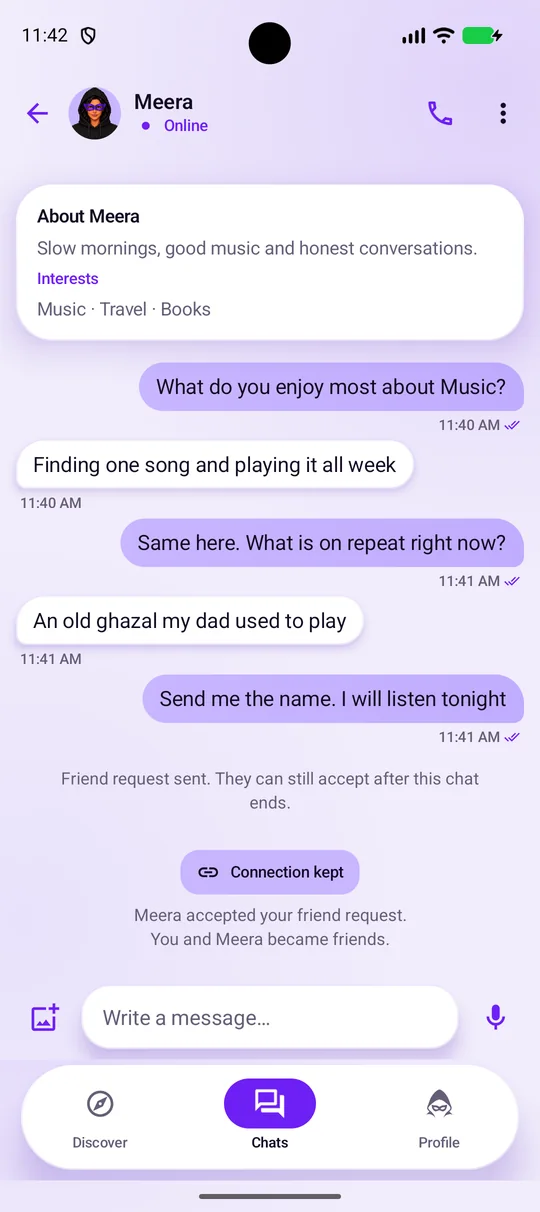
Real Android emulator captures. Demo profiles and messages, not live activity. Tap highlights added for this walkthrough.
For adults 18+. Messages are not end-to-end encrypted. Privacy and safety limits.
How BeAnon works
Eight moments, from a first hello to a friendship you both choose.
Tap Start searching
Discover is the home screen. Set your preferences and BeAnon looks for someone to talk with one-to-one.
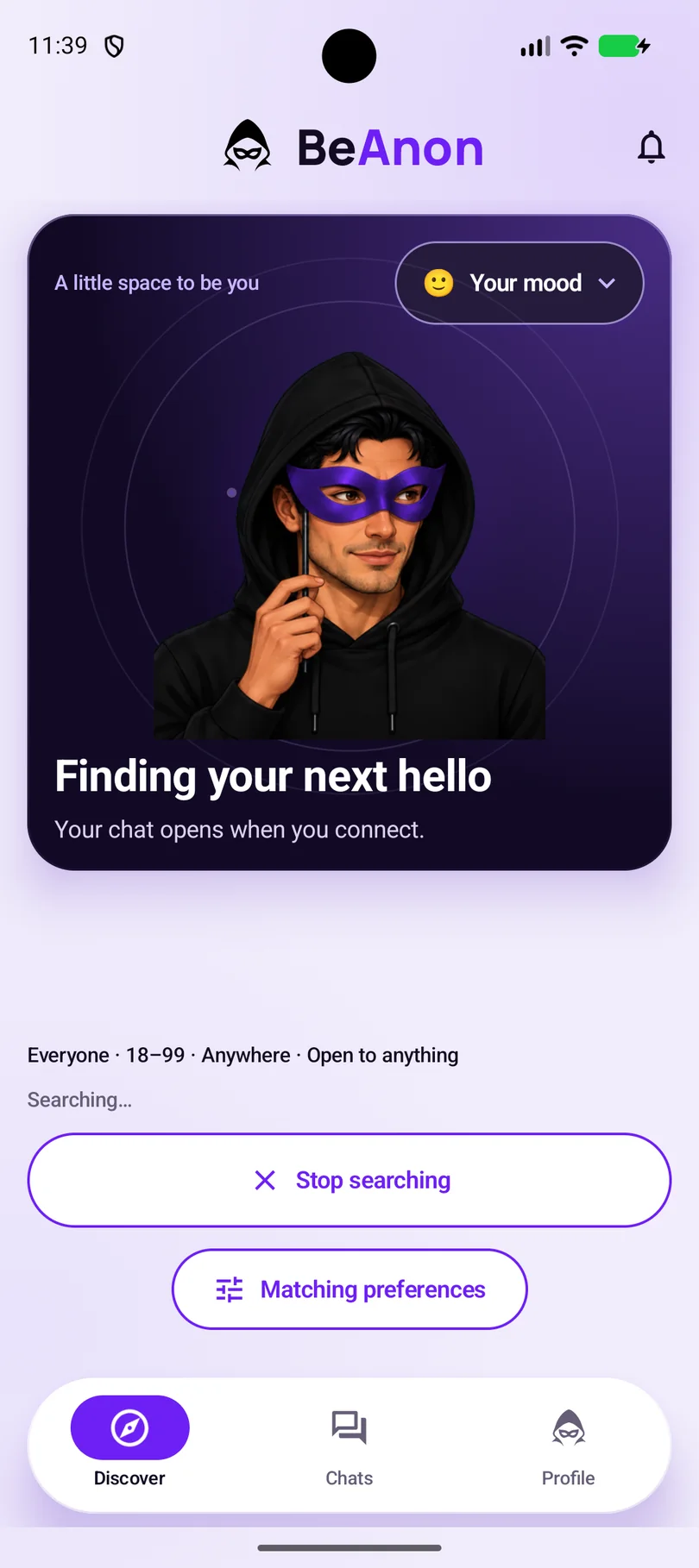
See this screen: Tap Start searchingBeAnon looks for someone
A search runs for about a minute. You can stop whenever you want, or search again if no one is found.
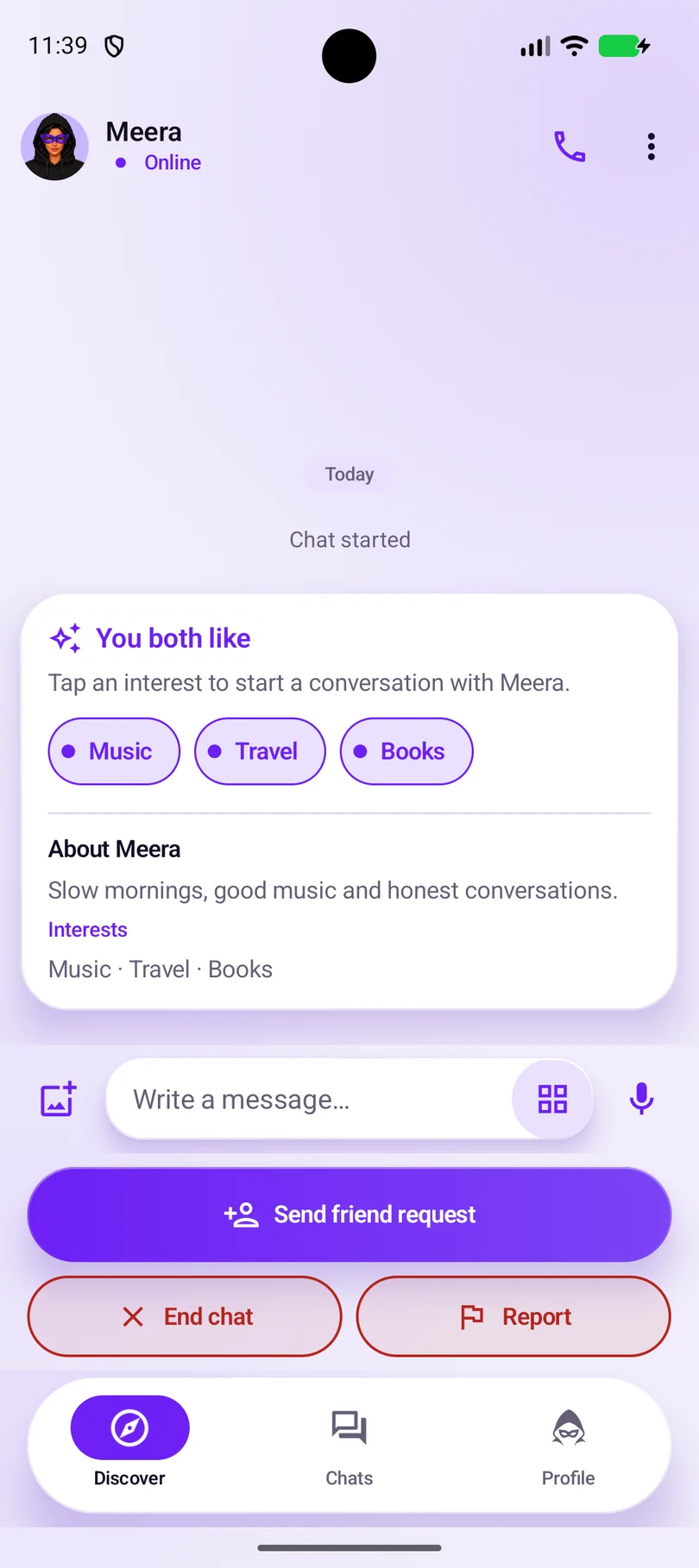
See this screen: BeAnon looks for someoneThe chat opens
You see the interests you share and the other person’s short bio. They see your chosen display name, gender, bio, interests, optional profile photo and any mood you make visible. Details you choose to share can identify you. Tap a shared interest for a first line.
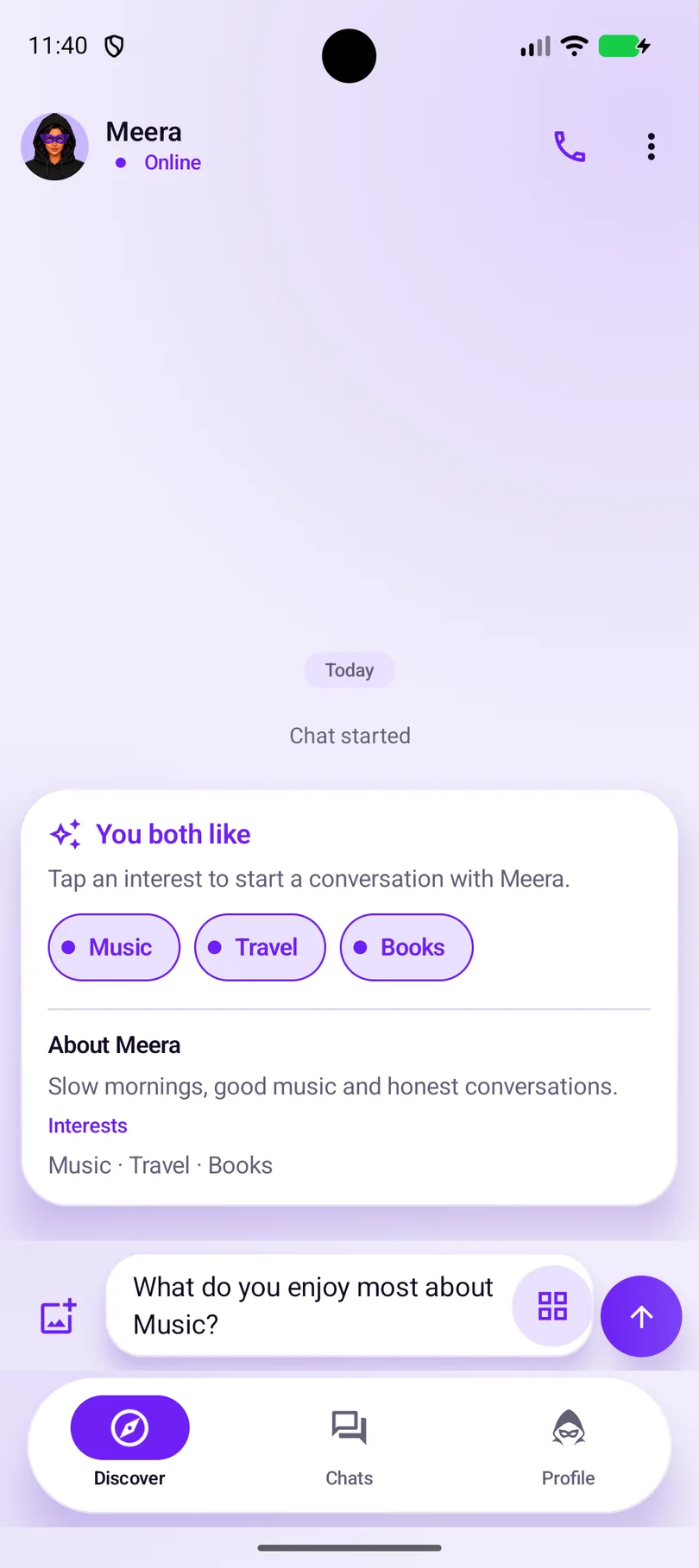
See this screen: The chat opensSay hello
The app suggests an opening line from the interest you tapped. Send it, change it or write your own.
See this screen: Say helloStart chatting
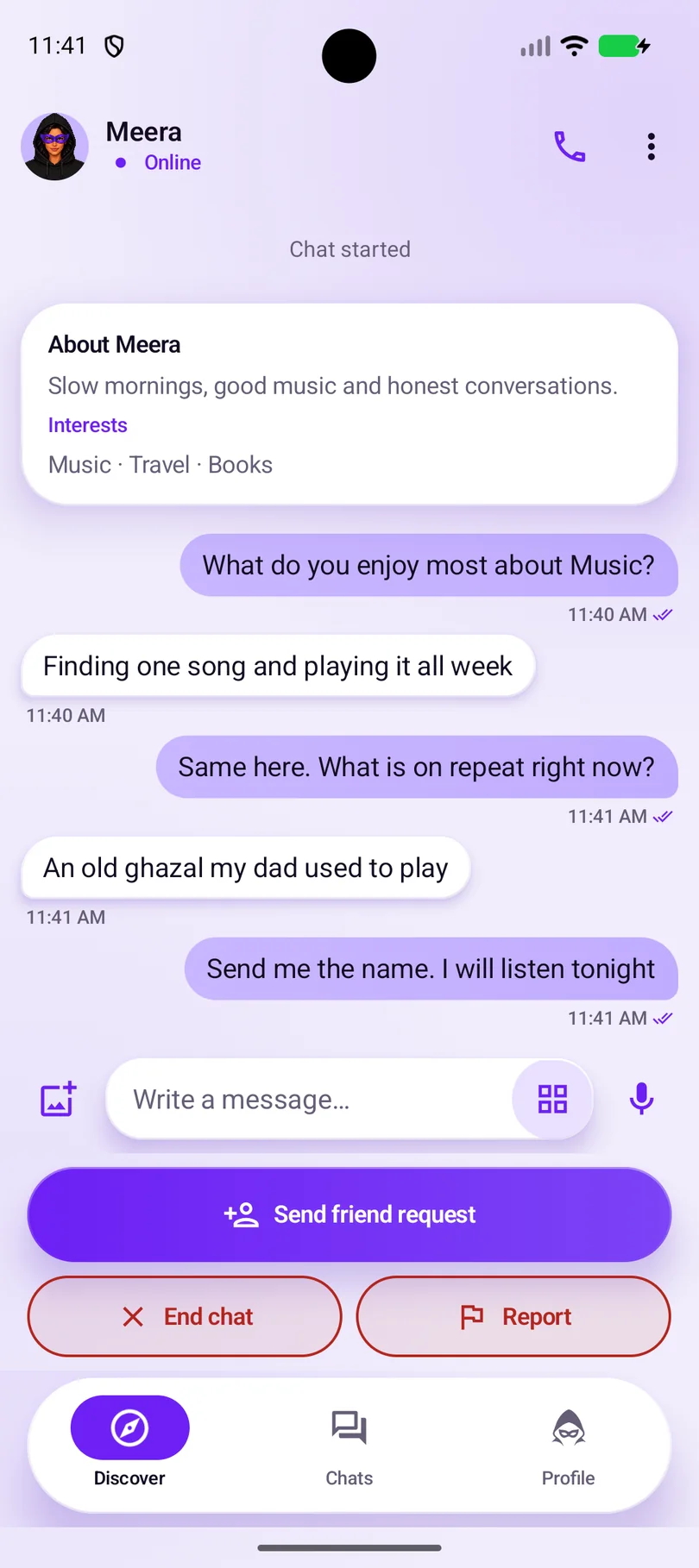
Talk without a public profile or your real name, and leave the chat whenever you want. Either of you can send a friend request.
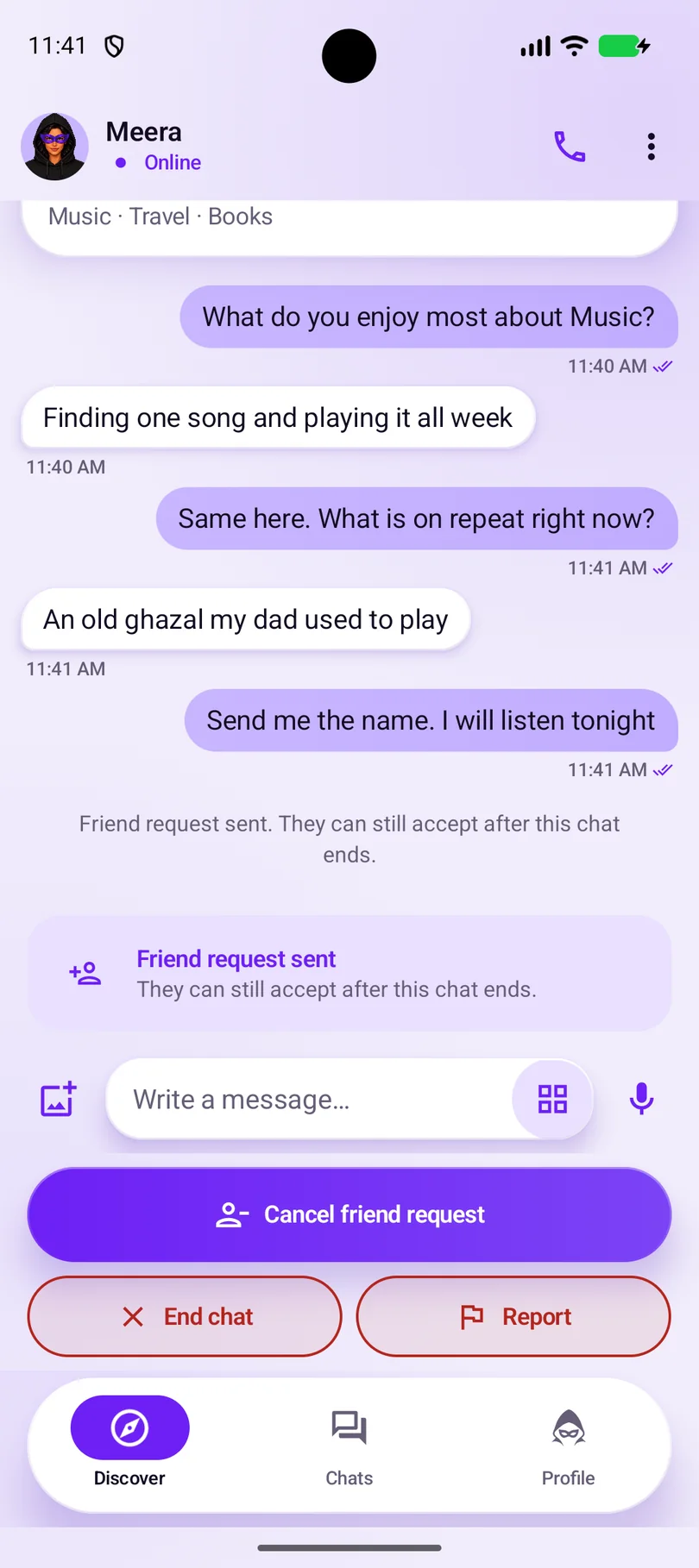
See this screen: Start chattingThe request waits for an answer
Nothing changes yet. The other person can accept, or simply carry on or end the chat.
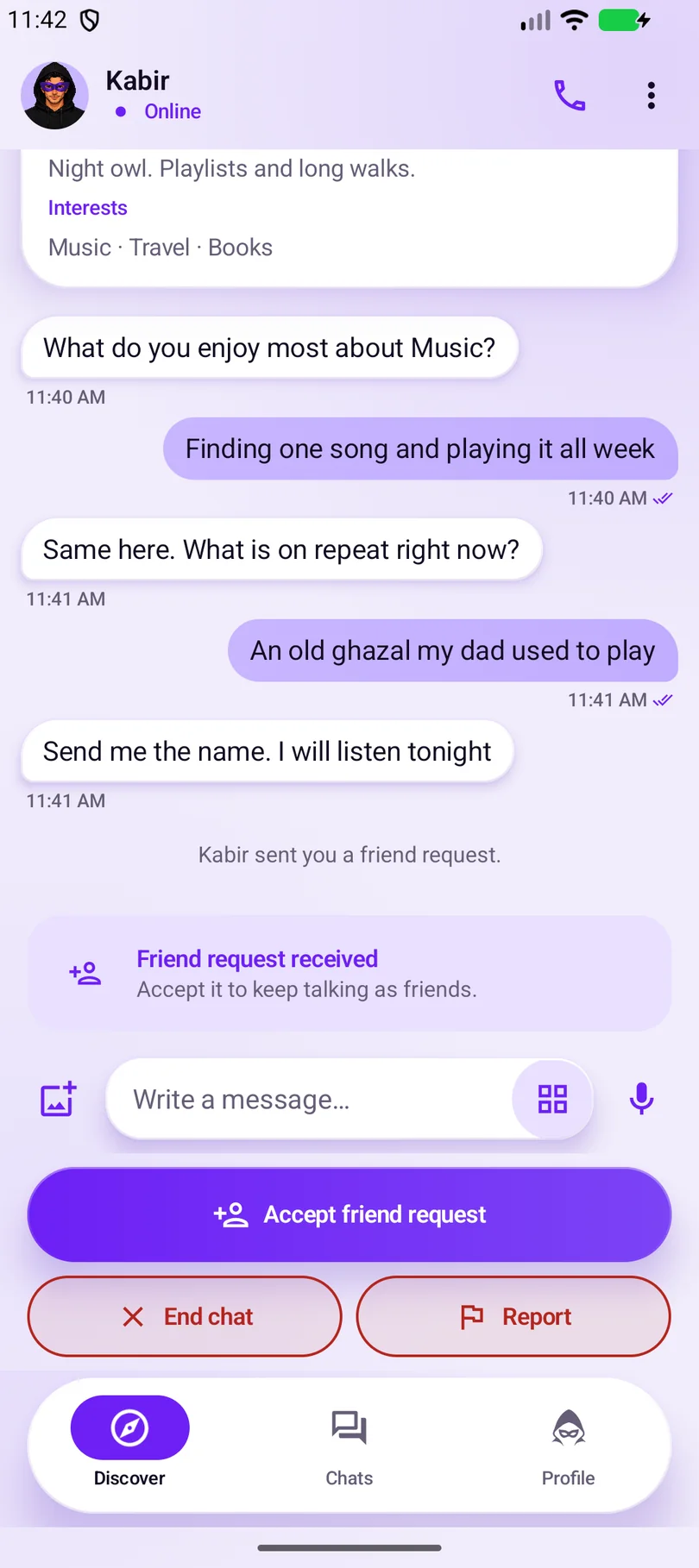
See this screen: The request waits for an answerOn the other person’s phone
They see the request in the same chat. You only become friends if both of you accept.
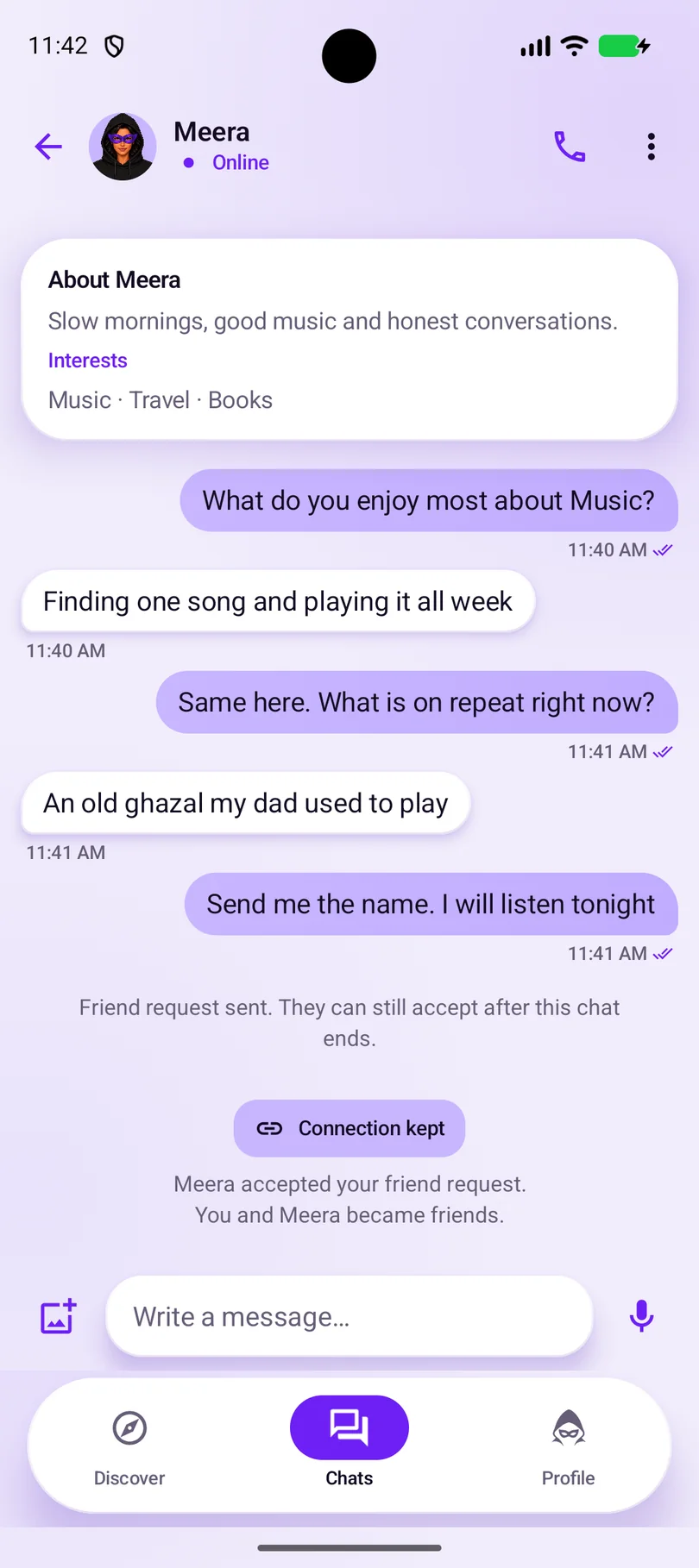
See this screen: On the other person’s phoneBecome friends
When the request is accepted before the chat ends, the conversation continues as a friend chat with its history, and stays in your Chats list.
See this screen: Become friends
Safety and privacy Stay in control
BeAnon is for adults 18+. You can end a chat or report a concern whenever you need to, and block in friend chats.
What “anonymous” means
People you chat with see your chosen display name, gender, bio, interests, optional profile photo and any mood you make visible. Details you choose to share can identify you. It doesn’t mean zero data: BeAnon still processes some account, device, chat and safety data, messages are not end-to-end encrypted, and anything you share, like a photo or voice note, could identify you. Ending an anonymous chat stops messaging; depending on the app version, its text is deleted for both people or kept read-only for the other person.
Safety CenterSafety checklistPrivacy PolicyCommunity Guidelines
- Leave a conversationEnd a chat whenever you want.
- Block a friendStops contact from that account and deletes your chats with them for both of you. Report first if safe.
- Report a concernFlag a user or message for review.
BeAnon FAQs Glad you asked
Short answers to common questions. The full FAQ covers accounts and privacy.
Read the full FAQWhat is BeAnon for?
BeAnon is a one-to-one chat app for adults 18+. You meet someone new through conversation, and you stay in touch as friends only if both of you choose to.
What does “anonymous” mean on BeAnon?
People you chat with see the profile you set up: your chosen display name, gender, bio, interests, optional profile photo and any mood you make visible. Details you choose to share can identify you. BeAnon still processes some account, device, chat and safety data to run and moderate the service, and messages are not end-to-end encrypted. See the Privacy Policy.
How does matching work?
Matching considers both people’s age ranges, “Looking for” choices, available gender preferences and enabled distance limits. Interests help start conversations; they are not matching filters. Matching does not verify identity, age or intentions.
How do we become friends?
Either person can send a friend request. You become friends only if both of you accept. When a request is accepted before the chat ends, the conversation continues as a friend chat with its history. If a pending request is accepted after the anonymous chat ends, its earlier messages are deleted and do not carry into the friend chat.
What can I do if someone makes me uncomfortable?
If safe, report before ending or blocking the chat. Blocking is available in friend chats and deletes your chats with them for both of you. You can leave immediately if needed. In immediate danger in India, call 112. Read the Safety Center for more.

Explore BeAnon Start with the details
Read about matching, mutual friendship and privacy limits. For adults 18+.