

From a hello to a connection
These are real Android emulator screens from a controlled demonstration, not a live chat on this website. The conversation below uses test profiles and messages. Select any screenshot to enlarge it.
Conversation screens: Android demonstration build 0.2.12, captured 8 October 2026. Features and controls can differ in another version. The separate deletion guide shows build 0.2.13.
Step 1
Start with Discover
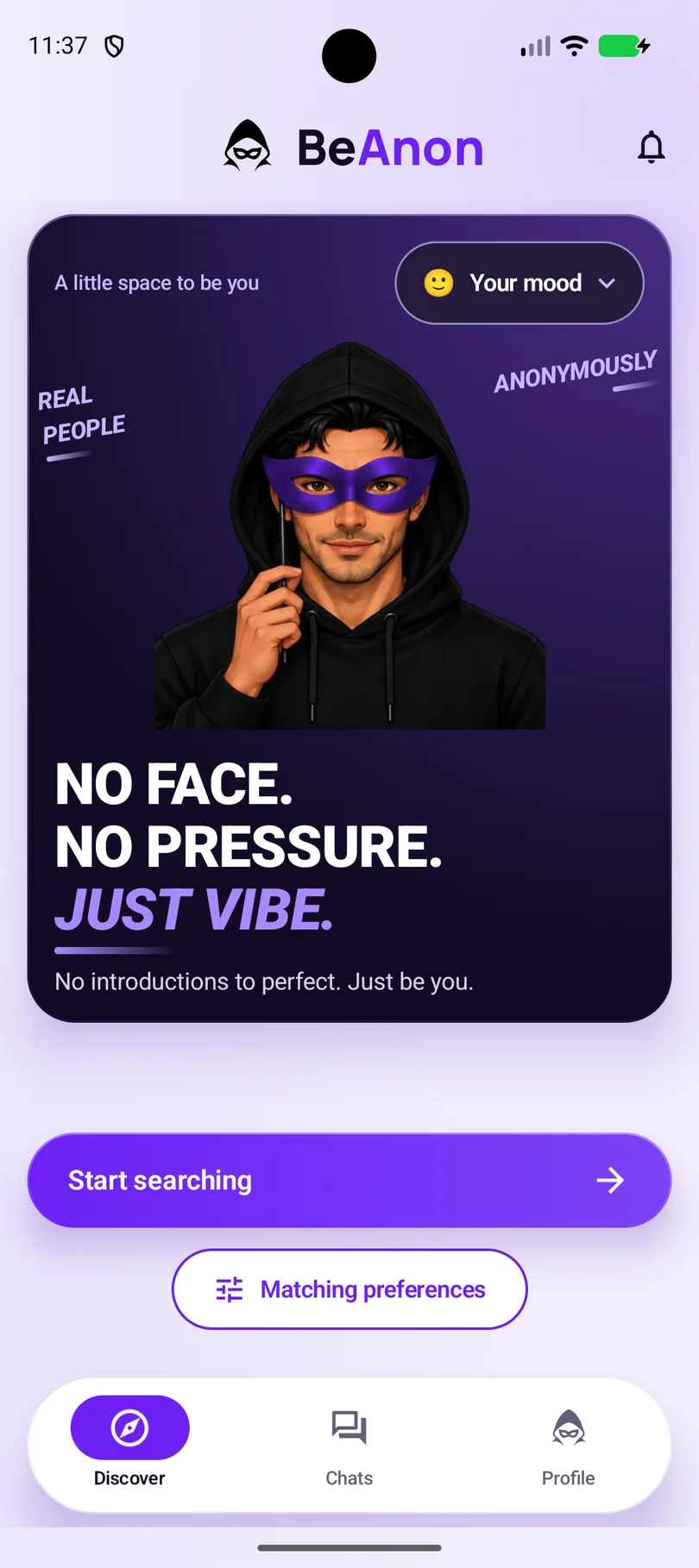
In the Android app, open Discover. Check Matching preferences if you want to adjust the choices available to you, then tap Start searching.
This starts a search for a conversation; it does not send a friend request.
Step 2
Wait while the app searches
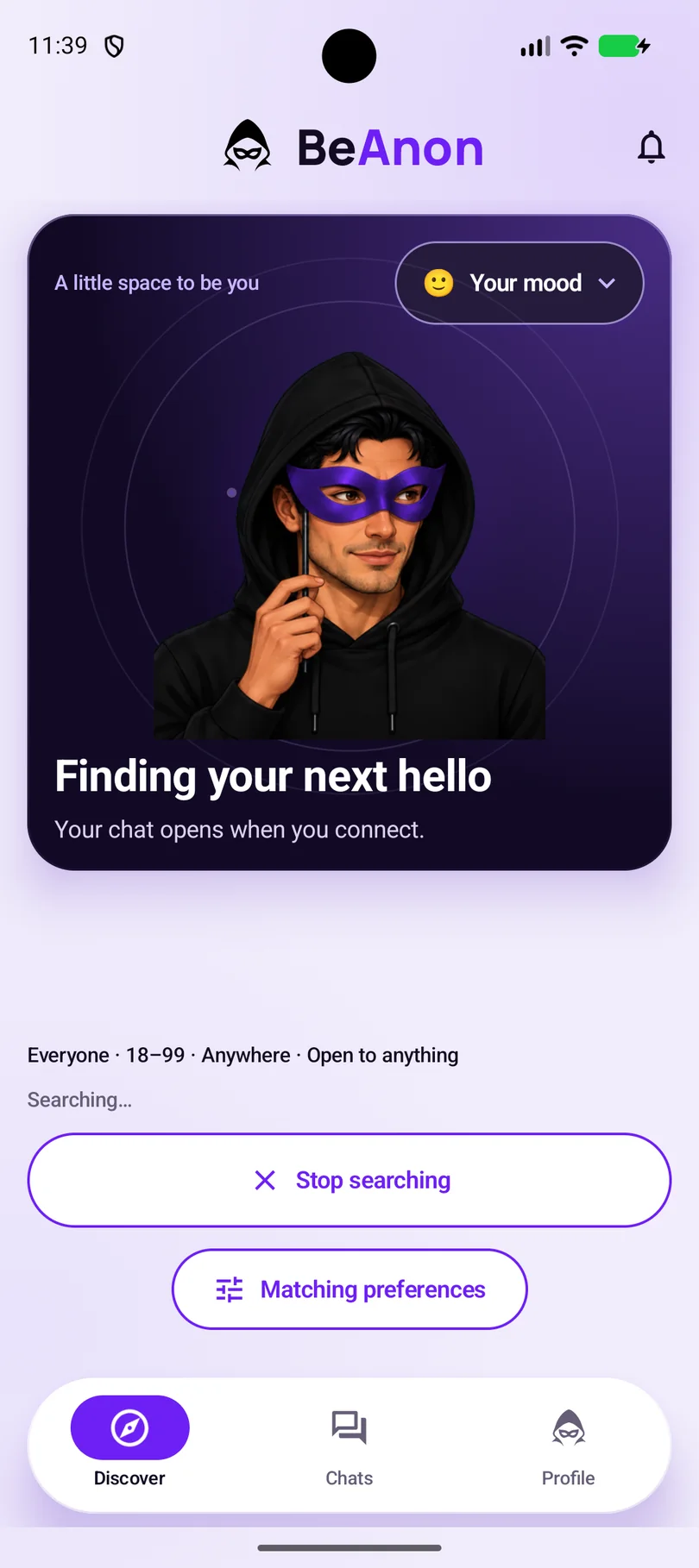
The app shows Finding your next hello while it looks for a match. A search does not guarantee someone will be available. If no match is found, follow the result shown in the app and try again when you want.
Step 3
Say hello in the anonymous chat
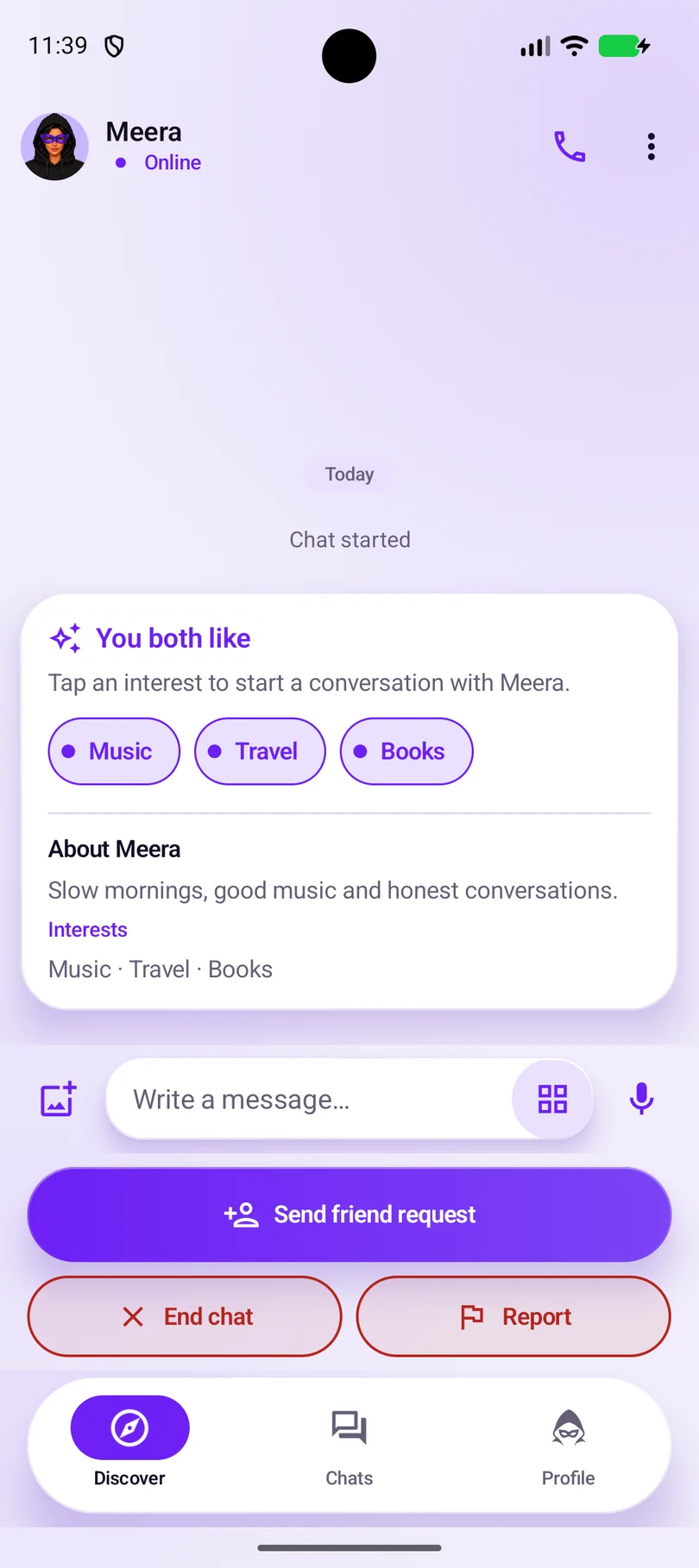
When a match is found, a conversation opens. Read the profile details the other person chose to share and type your first message. Interests can help you find an opening line.
Your profile is not invisible: your chosen display name and other visible profile details can be shown to your chat partner. Share only what you are comfortable sharing.
Step 4
Ask to stay connected
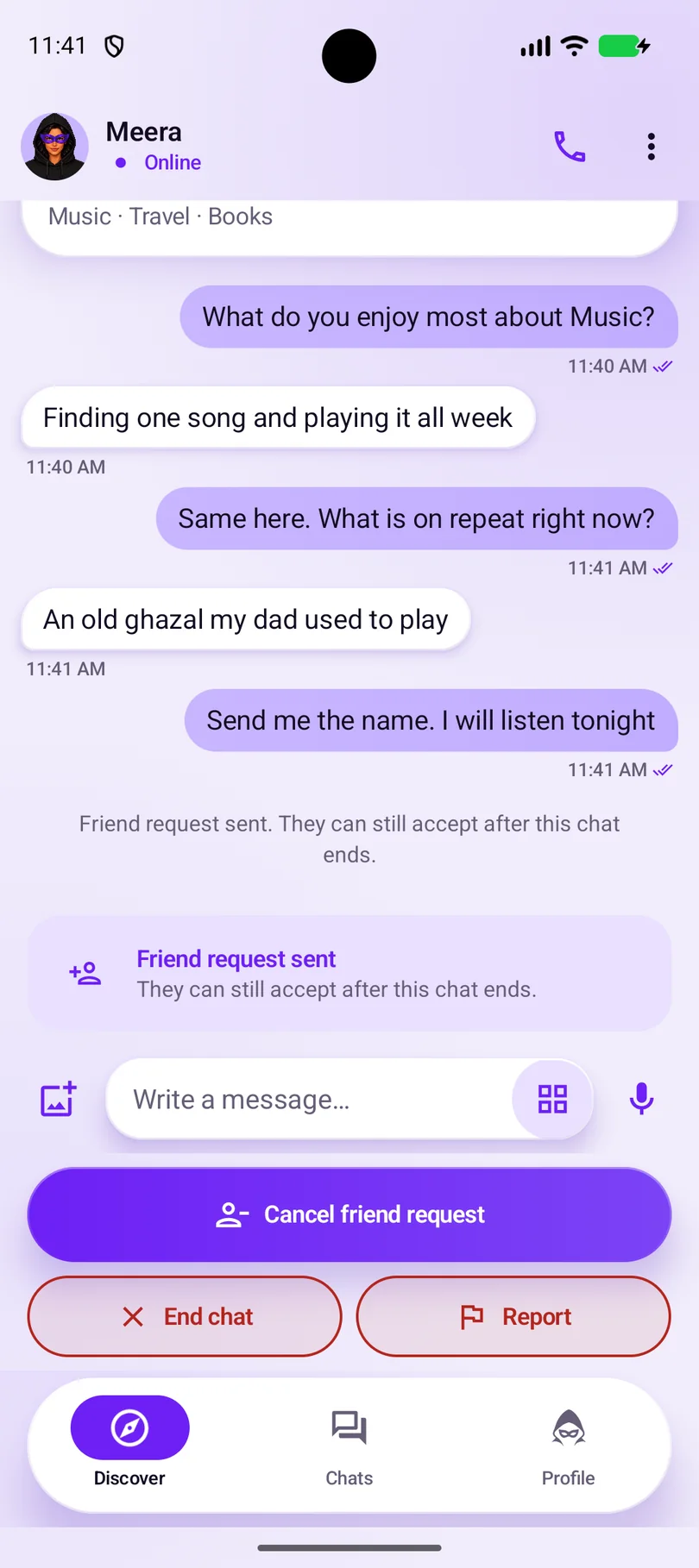
Want to talk again? Open the conversation’s menu and select Send friend request. The app shows that the request has been sent. A request is an invitation, not an automatic friendship.
Step 5
Let the other person choose
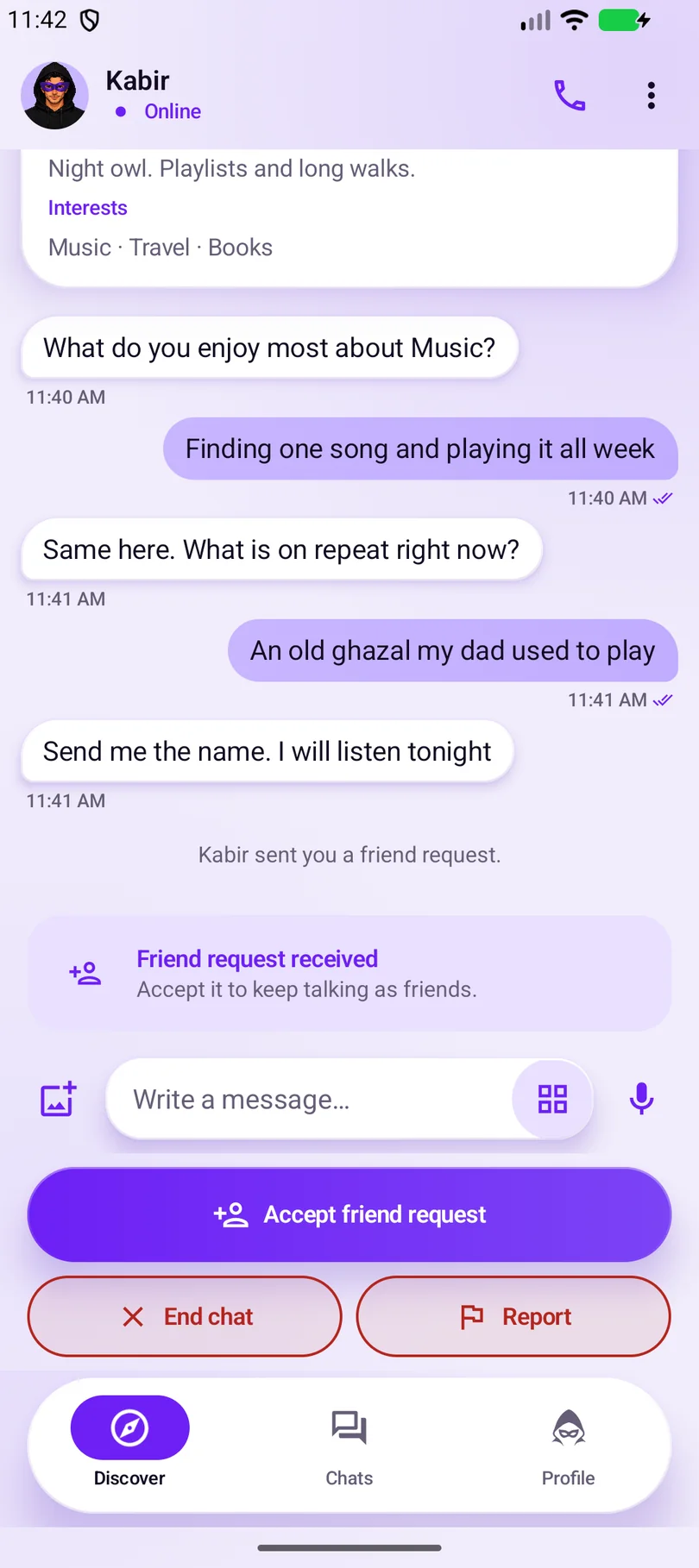
On the receiving phone, the request appears in the conversation. If the person wants to stay connected, they choose Accept friend request. Both people choose whether to become friends.
This screenshot is the recipient’s screen, so the name and conversation perspective change.
Step 6
Continue from Chats
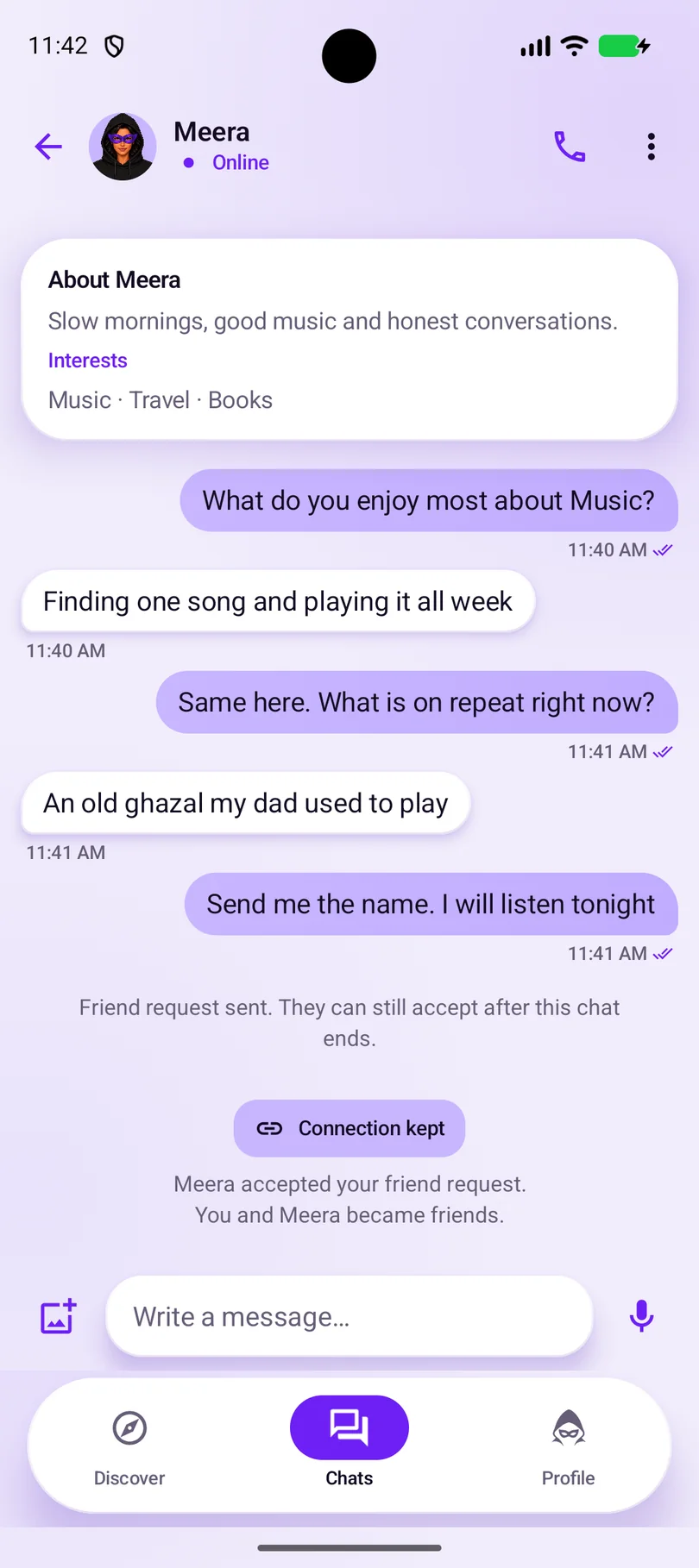
After acceptance, the app confirms Connection kept. You can find your friend conversation in Chats. Becoming friends does not automatically reveal additional identity details.
The demo accepts the request while the conversation is active. Read below for what changes if a chat ends before a request is accepted.
Before your first conversation
This page describes how BeAnon’s anonymous chat works, from first match to an optional friendship. Features and availability may vary by version and platform.
You must be at least 18 and legally able to agree to the Terms. At sign-up you agree to the Terms and the Privacy Policy; the prohibited-content rules in the Community Guidelines form part of the Terms. Age is self-declared, not document-verified, so do not misstate it.
Create your private identity
You don’t need a phone number, email address or password. You set up a short profile: a display name of your choice, your gender, your age and at least three interests. A bio and a profile photo are optional. Each phone holds one account. An account identifier is still personal data when it can be linked to you, and BeAnon processes service data such as messages, device information and reports.
How matching works
Matching considers both people’s age ranges, “Looking for” choices, available gender preferences and enabled distance limits. Interests help start conversations; they are not matching filters. Matching does not verify identity, age or intentions. Distance matching uses an approximate location rounded to roughly one kilometre. BeAnon does not display your coordinates or distance to chat partners. You can stop a conversation without sharing more about yourself.
Chat history and friend connections
Text, voice and media options depend on the released app version. The person you’re chatting with sees your chosen display name, gender, bio, interests, optional profile photo and any mood you make visible. Both people must agree to a friend connection, and becoming friends does not automatically reveal additional identity details. When a request is accepted before the chat ends, the chat continues with its history. If a pending request is accepted after the anonymous chat ends, its earlier messages are deleted and do not carry into the friend chat. Chat history is stored on BeAnon’s servers for continuity; ending an anonymous chat stops messaging and shared-media access; depending on the app version, its text is deleted for both people or kept read-only for the other person. This is not an account-deletion request. Do not send nudity, pornography, sexually explicit messages or non-consensual content.
Keep control of the conversation
These controls do different things:
- Ending an anonymous chat stops messaging and access to shared media for both people. What stays afterwards depends on the app version: the text may be deleted for both people, or kept read-only for the other person. A pending friend request can keep the ended chat listed for both people for a limited time. It doesn’t report or block the other person, and copies they saved outside BeAnon remain outside our control.
- Blocking is available in friend chats. It stops contact from that account and deletes your chats with them for both of you. Report first if safe. Previously submitted report evidence may remain. It doesn’t guarantee the same person can never reach you through a different account.
- Reporting asks us to review a person or chat against the Community Guidelines. A report sends your reason and can include a snapshot of up to 25 of the most recent chat entries visible to you, from both people, including system events. Media files are not copied. The snapshot can include message text and captions, attachment type, view-once status, sender role, timestamps and system events. See the Privacy Policy.
- Deleting a message can mean two different things where the app offers them: removing it from your own view only, or deleting it for both participants. A message deleted for both participants can’t be restored. Neither deletes your account, and copies the other person saved outside BeAnon may remain.
- Deleting your account is separate from all of the above. See below.
These safety controls will be available without a subscription. See the Safety Center and reporting instructions.
Account access, recovery and permissions
Your chat history is stored on BeAnon’s servers, so uninstalling the app doesn’t itself delete your account or that history. Linking a Google account is optional: if you lose your phone, signing in with that Google account can help you regain access to your existing account, and you can then see the conversations and media still retained for it. Your Google identity isn’t shown to chat partners, and BeAnon doesn’t read your Gmail. Recovery is not guaranteed, and it is still being verified before launch. Reinstalling on the same phone may restore access after a device check. Without a previously linked Google account, losing or resetting your phone may leave us unable to restore access. Recovery does not reopen an ended anonymous chat or restore its revoked media, messages deleted for both participants, a permanently deleted account, or deleted or consumed view-once media; unsent messages and local-only drafts are not recovered.
Camera, microphone, media and notification permissions are requested for the features that need them, and location only if you turn on distance matching. Decline or revoke optional permissions in device settings. Message notifications show the sender’s name and a short preview of the message by default. You can turn previews off; this removes the message text from notifications, not the sender’s name. Where selfie filters are available, they do not guarantee anonymity or verify identity or age. A profile photo is optional, and an unfiltered photo can be used. Capture controls cannot stop someone filming their screen.
Deleting your account
BeAnon does not offer end-to-end encryption. Reported content may be reviewed and preserved.
In Android test builds, request account deletion through Profile → Account settings → Delete account. This website explains the steps and does not manage your app account. Account deletion has a pending period during which normal use is unavailable; follow the deadline shown in the app. To keep the account, return before the deadline, verify ownership and use the cancellation option on the pending-deletion screen. Opening the app, signing in, recovering access or contacting support doesn’t cancel it on its own. Deletion is scheduled after that pending period; completion may take longer. Don’t count on being able to cancel or recover the account after the deadline. Uninstalling the app and cancelling a store subscription are separate actions.
Follow the account-deletion guide with screenshots, including the difference between deleting an account, uninstalling the app and cancelling a subscription.